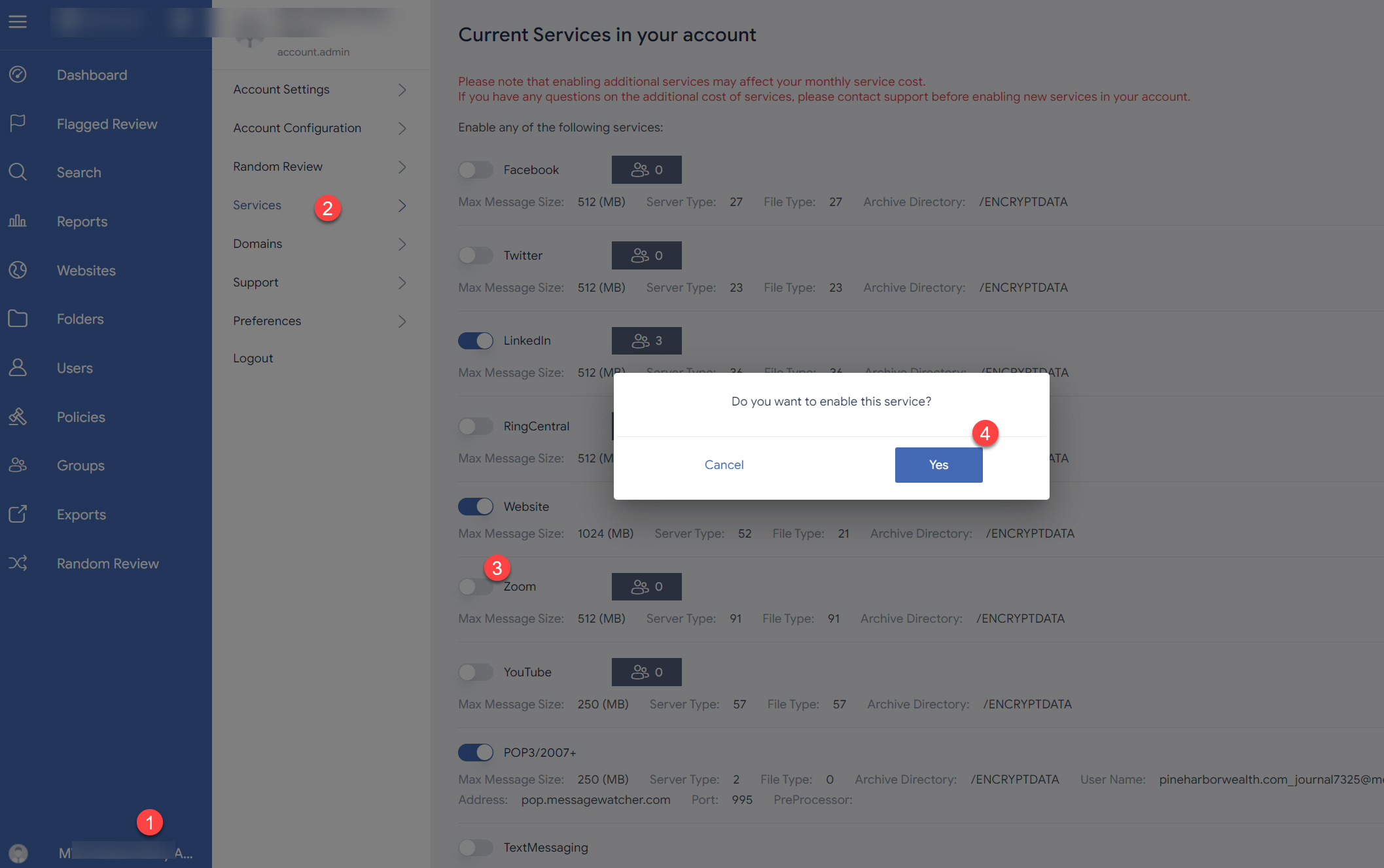
To add archiving and flagging/monitoring for Zoom SMS, voicemails and call logs please follow these instructions.
- Click on your user name in the very bottom left corner.
- Click on the Services option.
- Toggle the Zoom button to the right to enable archiving of Zoom SMS, voicemails, and call logs.
- Click on the Yes button to confirm that you want to activate this service.
- Click on the Authorize button to proceed to the Zoom authorization steps which will include logging into your Zoom Phone/SMS account.